Tolvi Self Assessment, self assessment software for agentsPrepare the SA100, knowing where each carried-in figure came from
Tolvi Self Assessment is self assessment software for agents, preparing clients’ returns from tax year 2025/26: the SA100 and its pages, the SA800 for partnerships and LLPs, and the SA900 for trusts and estates. Fill the boxes step by step, or with AI Mode on an SA100, see the tax as you go, then review, partner approval and the client’s confirmation.
Its place in the chain of figures
From a few questions to a partner’s approval
Step 1: Answer what applies
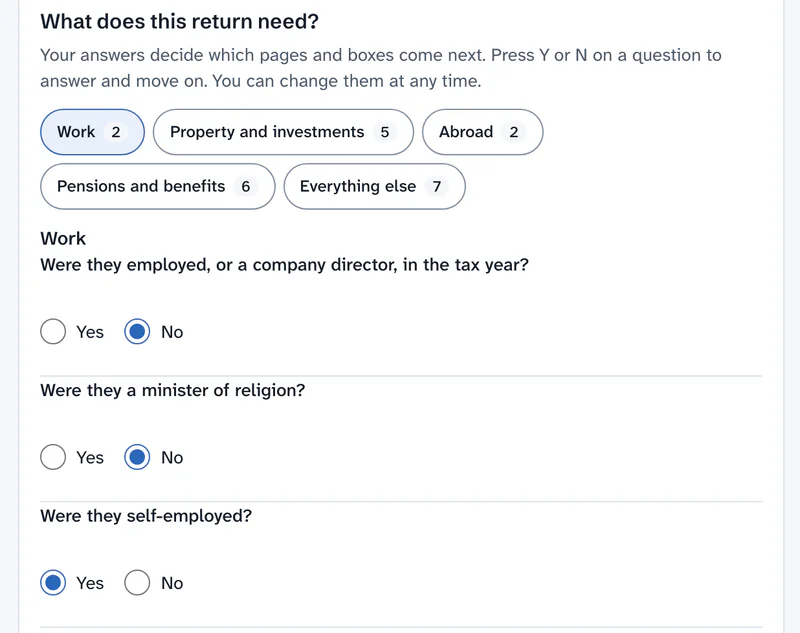
A few questions decide which pages the return needs. Anything you don’t need stays out of the way, and a page with figures is never dropped.
Step 2: Fill the boxes
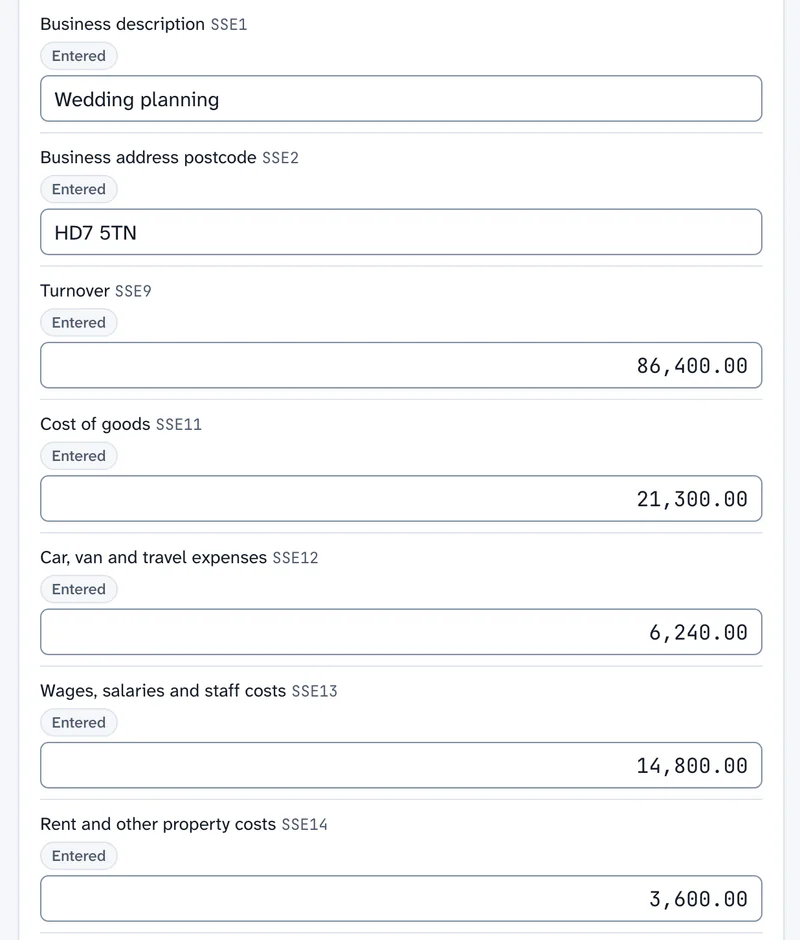
Simple Step walks through each page, or use the full return.
Step 3: See the tax
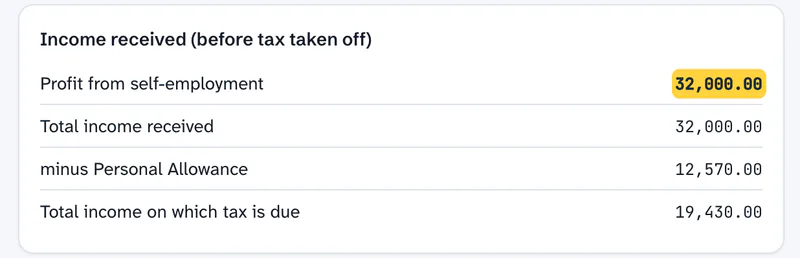
The tax so far updates as you type, and your work saves itself.
Step 4: Review and approve
Review points on the return, partner approval and the client’s confirmation.
Step 5: Download
An SA302 or partnership statement, or the full return in the style of HMRC’s forms, with “Not issued by HMRC” on every page.
What it does
Every return, and a person checks every AI figure
The SA100 and its supplementary pages
SA100, SA101, SA102, SA102M, SA103S and SA103F, SA103L, SA104S and SA104F, SA105, SA106, SA107, SA108, SA109 and the SA110 calculation, with Scottish and Welsh rates.
The SA800 for partnerships and LLPs
The partnership statement, and each partner’s share, which a person can type over.
The SA900 for trusts and estates
Trust-rate and other settlements, and estates in administration, with the tax pool brought forward where last year’s return is in Tolvi.
R185 statements
R185s for trust income, estate income and settlors, worked from the figures you enter, for you to check.
Estates and trust working papers
An informal estate’s year-by-year breakdown for HMRC’s letter route, and a working layout for trust accounts. Both are PDFs for you to check, and Tolvi keeps no figures from them.
R40 schedule
A PDF schedule of the figures for a repayment claim. It isn’t HMRC’s form, and it doesn’t work out the repayment.
Simple Step
Questions first, then one step for each page or section. Last year’s pages and details carry forward, and steps with nothing to do are skipped.
Sensitive details kept apart
National Insurance numbers, dates of birth and repayment bank details are encrypted on the return and only ever shown masked. They aren’t held on the client’s record.
Also: AI Mode on the SA100 · Figures from your other work · The calculation. Every feature
With the rest of Tolvi
Tolvi Working Papers
Section T becomes the SA103
What Tolvi Working Papers doesTolvi Books
The books become the figures
What Tolvi Books does
Tolvi Self Assessment: Free during the beta. AI Mode uses your firm’s Tolvi AI tokens.
Compare every productWhere it stops today
What’s live and what’s comingFiling with HMRC from Tolvi Coming
Filing SA100 returns from Tolvi is coming, and the SA800 and SA900 after that. It isn’t open today, so you file through your existing tax software.
What HMRC holds about a client Coming
Bringing in what HMRC holds, as suggestions a person applies, is coming. It needs a connection to HMRC that isn’t in place yet.
Making Tax Digital for Income Tax Coming
Coming, and not complete: quarterly updates cover self-employment and UK property from a spreadsheet or typed figures, so most real returns can’t be finished this way yet.
Clients’ VAT returns Coming
Preparing and approving clients’ VAT returns from a bridging sheet is coming. It isn’t complete yet: figures are carried over by hand, and they can’t be sent to HMRC.
- For accountants only, acting for their clients. It isn’t for taxpayers filing their own returns.
- The calculation is Tolvi’s own replay of HMRC’s stored cases. It hasn’t yet been run against HMRC’s test service, and HMRC publishes no test for the SA800.
- Amendments and attachments aren’t built.
- AI Mode and bringing in what HMRC holds are for the SA100 only.
- The SA900 covers 2025/26 only, and not all of HMRC’s written validation rules for it are run. The SA800 and SA900 PDFs use the schema’s wording, and haven’t been compared with HMRC’s paper forms.
- The R40 is a schedule only, and the R185s, informal estate and trust accounts are worked from what you enter each time.
- The minister of religion pages that HMRC takes only on paper can’t be completed here, and Tolvi warns you.
- Several life insurance gains of one kind need working by hand, and the return says so.
- No reminders to clients yet.
Questions about Tolvi Self Assessment
What does Tolvi Self Assessment do?
It helps accountants prepare clients’ returns from tax year 2025/26: the SA100 and supplementary pages, the SA800 and the SA900, with the tax calculation as you go, review points, partner approval, the client’s confirmation, and an SA302 and the full return to download. It also gives you R185 statements and informal estate breakdowns to check.
Does it cover partnerships, trusts and estates?
Yes, for preparing the return. The SA800 is for partnerships and LLPs, and the SA900 for trusts and estates in administration, with R185s for trust income, estate income and settlors. There’s also an informal estate breakdown.
Does Tolvi do the R40?
Only as a PDF schedule of the figures for a repayment claim. It isn’t HMRC’s form, and it doesn’t work out the repayment.
Does the AI fill in tax returns on its own?
No. In AI Mode, which is for the SA100, Tolvi AI fills boxes on a draft from evidence it cites. Tolvi copies the figure from the words the AI quotes, and refuses anything else. A person checks each one. Send for review is refused until a person has checked each AI figure, and AI can never approve or file. It runs through Amazon Bedrock in AWS London and uses your firm’s Tolvi AI tokens.
More answers on the questions and answers page.